
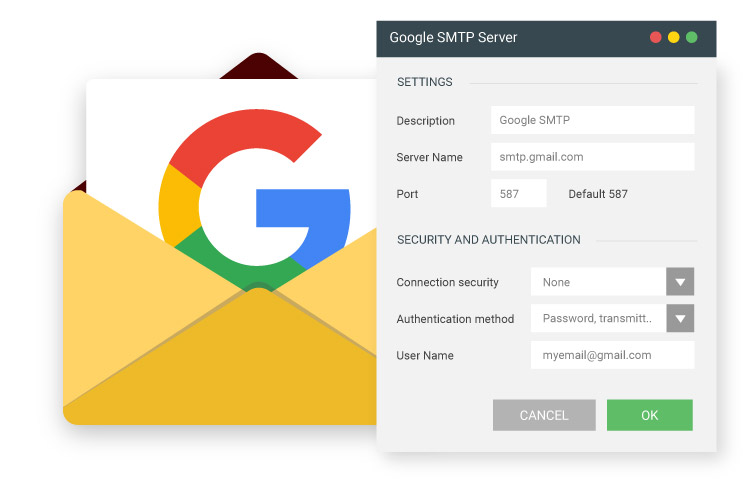
Many users search for the Google SMTP server, wondering whether it is different from Gmail SMTP or if a separate server address exists.
In reality, Google does not provide a different SMTP server for Gmail accounts. The official outgoing mail server used by Google and Gmail is the same.
Below you’ll find the correct server name, ports, and authentication requirements — along with a clear explanation of how Google SMTP relates to Gmail and Google Workspace.
What Is the Google SMTP Server?
The official Google SMTP server for Gmail accounts is:
smtp.gmail.com
There is no separate “google smtp server” such as smtp.google.com.
Google and Gmail use the same SMTP infrastructure for sending outgoing email.
This server is also used as the Gmail outgoing mail server for email clients, applications, and websites.
Google SMTP Server Settings (Quick Reference
Below are the official SMTP settings used by Google for Gmail accounts:
| Setting | Value |
|---|---|
| SMTP Server | smtp.gmail.com |
| Port (TLS) | 587 |
| Port (SSL) | 465 |
| Authentication | Required |
| Encryption | TLS or SSL |
These are the same settings used in Gmail SMTP configuration.👉 For a complete step-by-step setup guide including App Password generation, see our detailed Gmail SMTP configuration guide.
Why Do People Search for “Google SMTP”?
The term “Google SMTP” is commonly used by users who are:
- Configuring an email client
- Setting up WordPress or a website
- Using Google Workspace
- Looking for outgoing mail server details
In most cases, they are actually looking for the Gmail SMTP server settings, but use different terminology.
Common search variations include:
- google smtp server
- smtp server google
- google outgoing mail server
- smtp google
All of these refer to the same official server: smtp.gmail.com.
Is Google Workspace SMTP Different from Gmail SMTP?
No. Google Workspace accounts use the same SMTP server:
smtp.gmail.com
The difference is not the server address, but the sending limits and account policies.
For example:
- Standard Gmail accounts: up to 500 emails per day
- Google Workspace accounts: up to 2,000 emails per day
For a full breakdown of Gmail SMTP limits and restrictions, read our detailed guide on Gmail SMTP sending limits.
Common Misunderstandings About Google SMTP
Many users assume that:
- “Google SMTP” is a different server from Gmail
- The server address should be smtp.google.com
- Google Workspace uses a separate SMTP infrastructure
These assumptions are incorrect.
All Gmail and Google Workspace accounts use:
smtp.gmail.com
If email sending fails, the issue is usually related to:
- Missing App Password
- Disabled 2-Step Verification
- Authentication errors
- Exceeded sending limits
If you cannot send emails through Gmail SMTP, see our troubleshooting guide.
Google SMTP Server FAQs
Is Google SMTP different from Gmail SMTP?
No. There is no separate “Google SMTP” server. The official SMTP server used by Google for Gmail and Google Workspace accounts is smtp.gmail.com.
Both services use the same outgoing mail server infrastructure. The difference lies only in account limits and policies, not in the server address itself.What is the correct Google SMTP server address?
The correct Google SMTP server address is smtp.gmail.com.
It supports:
– Port 587 (TLS – recommended)
– Port 465 (SSL)
SMTP authentication (App Password required if 2-Step Verification is enabled)
For full configuration instructions, see our detailed Gmail SMTP setup guide.